IT help desk support for NJ small businesses means someone is available to fix it when something breaks, without you hiring a full-time IT employee to do it.. When an employee cannot get into their email or a printer stops working or a network connection drops, there is a number to call and a person on the other end who actually knows what they are doing.
That is the short answer. This post covers what IT help desk services include, why small businesses in Bergen County, Hudson County, and Passaic County use them, what a managed help desk actually does day to day, and how to know whether your current IT situation is costing you more than a proper support arrangement would.
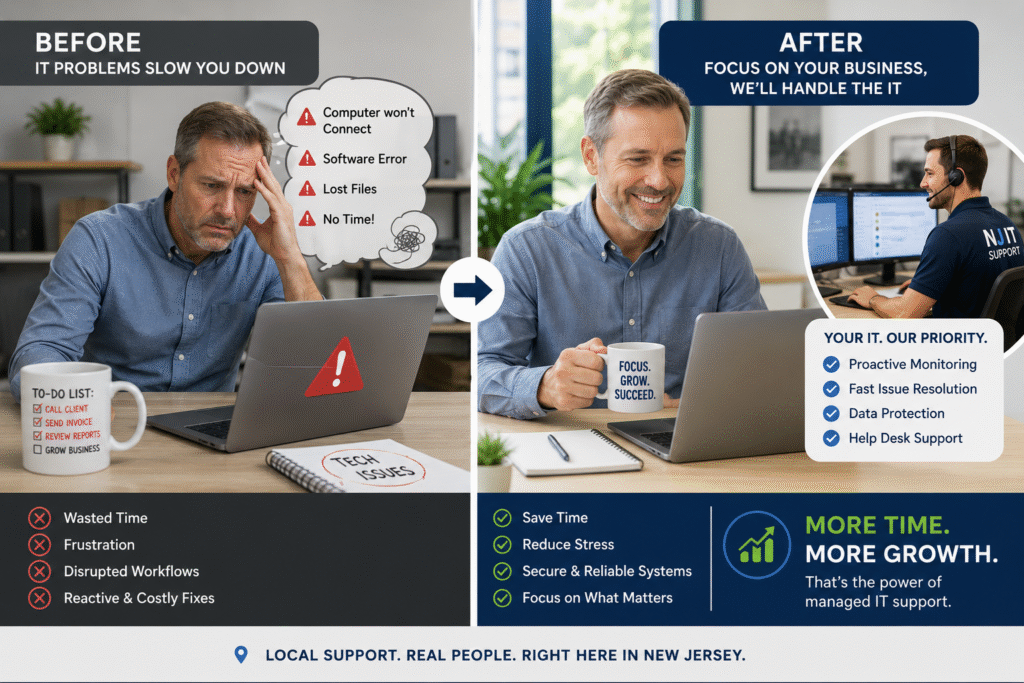
The Problem IT Help Desk Services Solve
Running a small business means wearing a lot of hats. Most owners and department heads are managing clients, employees, finances, and operations simultaneously. There is not a spare hour in the day, let alone the bandwidth to troubleshoot why the server is slow or why two employees cannot connect to the shared drive.
When a technical problem hits and there is no dedicated IT support, one of two things happens. Either the owner tries to fix it themselves, which means stopping what they were doing and spending time on something outside their expertise, or the problem sits unresolved while employees work around it, which chips away at productivity quietly until someone actually addresses it.
Neither is a good use of anyone’s time.
Jim Coban, who has been providing managed IT services to small businesses in Bergen, Hudson, and Passaic Counties since 2004, puts it plainly: small business owners do not have time to handle day-to-day IT tasks and grow their business at the same time. That is the whole reason the help desk exists.
Not sure if your current IT setup is actually keeping up? Take the free 90-second IT Risk Score below and see exactly which areas of your business IT need attention — no email required to see your result.
What IT Help Desk Support for NJ Small Businesses Actually Includes
A managed IT help desk is not just a phone number. It is an ongoing support relationship that covers the day-to-day technical issues your employees run into and keeps your systems running without requiring you to think about them.
Here is what that looks like in practice for a small business in NJ.
Employee and User Support
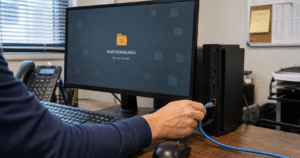
When an employee cannot log in, cannot access a file, cannot connect to the network, or runs into an error they do not understand, they call the help desk. A technician diagnoses the issue, walks them through a fix or resolves it remotely, and gets them back to work. The employee does not need to wait for the owner to have time. The owner does not get pulled off whatever they were doing.
This is the most visible part of what a help desk does, and for businesses with five to 25 employees, it adds up to a meaningful amount of recovered time each month.

Network Monitoring and Issue Prevention
The best help desk support is the kind you never notice because problems are caught before they affect your business. A managed IT provider monitors your network continuously, looking for signs of hardware failure, unusual traffic, failed backups, or security anomalies.
A server running hot at 2 a.m. on a Tuesday gets flagged and addressed before it crashes on Wednesday morning when your team shows up. That is the difference between a minor issue that gets handled quietly and a data loss event that costs you a day of operations.
Software and System Updates
Keeping operating systems, business software, and security tools updated is one of the most important and most neglected parts of small business IT. Outdated software is a primary vector for cyberattacks. Patches close the vulnerabilities that attackers look for.
A managed help desk handles updates on a schedule, typically during off-hours so your business is not disrupted, and verifies that patches apply correctly without breaking other things.
Cybersecurity Support
For small businesses in NJ, cybersecurity is not a separate concern from IT support. It is built into it. A well-run help desk is watching for phishing attempts, unusual login behavior, malware alerts, and the early signs of a ransomware infection.
When something suspicious surfaces, your IT provider responds before it becomes a breach. When an employee clicks a bad link, the help desk contains the damage and walks through what happened so it is less likely to happen again.
According to the 2025 Verizon Data Breach Investigations Report, ransomware was present in 88% of SMB breaches, more than double the rate seen at larger organizations.
This is part of why a good managed IT relationship functions like having a virtual CTO or CIO on your team. Someone is thinking about the security posture of your business and staying ahead of threats, not just fixing things after they break.
Vendor and Third-Party Coordination
Small businesses use a lot of software. QuickBooks, Microsoft 365, industry-specific tools, point-of-sale systems, VoIP phones. When something breaks at the integration layer, or a vendor says the problem is on your end, it helps to have an IT partner who can speak that language and coordinate the resolution rather than leaving your staff to navigate hold queues with software companies.
The Virtual CTO Model: More Than a Help Desk
For small businesses that do not have any internal IT staff, a managed IT help desk often functions as something closer to an outsourced IT department. Coban Computer Solutions operates this way with clients across Bergen, Hudson, and Passaic Counties.
That means the relationship is not reactive only. It includes:
Strategic planning. What hardware needs to be replaced in the next 12 months? Is your current infrastructure going to support growth? Are there licensing costs you are paying for tools you no longer use?
Staying ahead of threats. Cybersecurity is not a one-time setup. The threat landscape changes constantly. A managed IT partner tracks what is emerging and adjusts your defenses accordingly, whether that means rolling out new endpoint protection, tightening email filtering, or updating policies around remote access.
Running the IT side of the business. When your IT is managed properly, you stop thinking about it. Backups are happening. Systems are updated. Employees have support when they need it. You are focused on the work that only you can do.
What to Expect When You Work With an IT Help Desk Provider in NJ
If you are evaluating managed IT help desk services for your business, here is what the onboarding process typically looks like with a provider like Coban.
It starts with a discovery call to understand your current setup, your pain points, and whether there is a good fit. From there, a network assessment gives the IT team a clear picture of your infrastructure, what you have, what is outdated, what is missing, and where the risks are.
That assessment leads to a proposal. For most small businesses, Coban bundles cybersecurity, managed IT, disaster recovery, and help desk support covering nearly 40 individual services into a single monthly arrangement. For businesses with more specific needs, lighter custom proposals are available too.
The goal is that you have one number to call and one team that knows your setup, not a different vendor for every piece of your IT stack.
How to Know Whether You Need Managed IT Help Desk Services
Not every business is at the same point with this decision. Here are the clearest signals that a managed help desk would make a material difference.
Your employees are losing time to IT issues. If your team is regularly working around technical problems, waiting on fixes, or improvising because something is not working right, that is lost productivity. It compounds weekly.
You are handling IT yourself. If you are the owner and you are also the de facto IT person, you are spending time on something that has a real opportunity cost. Every hour you spend troubleshooting a network issue is an hour you are not spending on clients, growth, or the parts of the business that actually require you.
You do not have a cybersecurity plan. If you could not describe your current defenses against phishing or ransomware in plain terms, or if you are not sure whether your backups are actually running, those are gaps that need to be addressed. A managed IT provider closes them.
You are growing. Adding employees, adding locations, adding software. Growth creates IT complexity. Getting ahead of it with a managed help desk is much easier than trying to catch up after problems compound.
IT Help Desk Services vs. Break-Fix IT Support
It is worth understanding the difference because plenty of small businesses in NJ have only ever experienced break-fix support, which is calling someone when something breaks and paying by the hour for them to fix it.
Break-fix has two problems. First, the incentive structure is backwards. The provider makes more money when things break more often. Second, it is entirely reactive. There is no monitoring, no prevention, no planning. You find out your backup was failing when you actually need to restore from it.
Managed help desk services flip that model. You pay a predictable monthly amount and your provider is incentivized to keep things running well because their time is most profitable when your systems are stable. Prevention is built in because it is in everyone’s interest.
For most small businesses in Bergen County running more than a handful of employees, research from the ITIC 2024 Hourly Cost of Downtime Report puts conservative downtime costs for a micro business at $100,000 per hour, making a predictable monthly managed arrangement far less expensive than a single serious outage.
Frequently Asked Questions About IT Help Desk Services
What is the difference between a help desk and managed IT services?
A help desk is the support function, the place employees call when something is not working. Managed IT services is the broader relationship that includes the help desk plus proactive monitoring, security management, backup oversight, vendor coordination, and strategic planning. Most small businesses need both, and most managed IT providers bundle them together.
How quickly does an IT help desk respond?
Response times vary by provider and by severity. A good managed IT provider sets clear response time commitments in their service agreement, typically tiered by urgency. A server down affecting the whole business should get a faster response than a single employee’s printer issue. Ask any provider you are evaluating to show you their SLA in writing before you sign.
Do I need an IT help desk if I only have a few employees?
Size is less relevant than complexity. A business with five employees running on a shared server, using Microsoft 365, processing client data, and handling payments has meaningful IT risk. A managed help desk scales to your actual environment, not a headcount minimum.
Can a help desk support remote employees?
Yes. Most IT help desk support is delivered remotely through screen sharing and remote access tools. If your team works from multiple locations or from home, a managed IT provider can support them the same way they support employees in the office.
What does IT help desk support cost for a small business in NJ?
Pricing varies based on the number of users, devices, and services included. Most managed IT providers offer per-user monthly pricing. For a small business in Bergen County running five to 20 employees, a managed help desk bundled with cybersecurity and monitoring is typically more cost-effective than the combination of break-fix bills and the internal time spent managing IT issues. Request a specific quote based on your actual setup.
The Bottom Line
IT help desk services give small businesses in NJ a way to keep their technology running without making it someone’s full-time job. Employees get support when they need it. Systems get monitored before problems become crises. The owner gets to focus on the business.
At Coban Computer Solutions, we have been providing IT help desk support to small businesses across Bergen, Hudson, and Passaic Counties since 1992. We work as a virtual IT department for businesses that do not have internal IT staff and as an extension of the team for those that do.
If you want to understand what your current IT situation actually looks like and where the gaps are, contact our team to schedule a network assessment. No commitment required.