
Answer up front: IT support for law firms in New Jersey has an ethics rule attached to it. RPC 1.6(f) requires a lawyer to make reasonable efforts to prevent the inadvertent or unauthorized disclosure of, or unauthorized access to, information relating to the representation of a client. That is an ethics duty attached to your technology. In practice it means email security, controlled access to client files, and backups you have actually tested.
A data breach at a retail business is a bad week. A data breach at a law firm is a bad week plus an ethics question plus a potential malpractice exposure.
That difference is why generic small business advice does not fully serve IT support for law firms, and why the conversation should start with the rule rather than with the technology.
What the rule actually says
New Jersey amended RPC 1.6 in August 2016 to add subsection (f). It provides that a lawyer shall make reasonable efforts to prevent the inadvertent or unauthorized disclosure of, or unauthorized access to, information relating to the representation of a client.
Two things about that language matter for your technology decisions.
“Reasonable efforts” is a standard, not a checklist. The comment accompanying the amendment describes factors including the sensitivity of the information, the likelihood of disclosure if additional safeguards are not employed, the cost of employing additional safeguards, the difficulty of implementing them, and the extent to which safeguards adversely affect the lawyer’s ability to do the work. That is a balancing test. It does not name products.
“Unauthorized access” is broader than disclosure. You do not have to leak anything for this to be implicated. Someone getting in is the event.
New Jersey’s ethics authorities also settled early that using outside technology providers is permitted. ACPE Opinion 701 addressed electronic storage of client files and declined to read RPC 1.6 as requiring that a server holding client data be under the exclusive command and control of the firm’s own employees, noting such a rule would disadvantage smaller firms without dedicated IT staff. The opinion is equally clear in the other direction: an attorney must take reasonable affirmative steps to guard against inadvertent disclosure, and no one can guarantee against unauthorized access any more than they can guarantee nobody breaks into the file room.
The practical translation: you may absolutely use cloud services and outside IT providers. You are responsible for choosing and overseeing them reasonably.
There is a supervisory layer too. RPC 5.1 places obligations on partners and supervising lawyers to make reasonable efforts to ensure the firm has measures in place so that everyone conforms to the Rules. Firm-wide security is not the associate’s problem. It is a management duty.
IT support for law firms: the four risk areas
Email, because that is where privilege lives
Privileged communication overwhelmingly travels by email, which makes your mailboxes the highest-value target in the building.
The attack that matters most is not dramatic. Someone gets into a mailbox, sits quietly inside an existing thread, and waits. In a real estate practice, they wait for the closing and send revised wiring instructions from an address the client already trusts. In litigation, they simply read.
The single highest-value control here is multi-factor authentication on every mailbox, enforced, no exceptions for the managing partner. It is cheap, it takes an afternoon, and it stops the large majority of credential-based compromise. If your firm has not done this, it is the first thing to do after reading this post.
Document management and version control
Two failure modes, and the boring one is more common.
The dramatic one is ransomware encrypting your document store. The boring one is a sync error or a deletion that quietly removes half the discovery documents on an active matter, and nobody notices for three weeks.
Version history and retention settings are what save you from the second one. They are also usually left at whatever the default was on the day the system was installed.
Conflict-check system uptime
Your conflict system is not a convenience. If it is down, you cannot responsibly open a matter. Any system in that category deserves to be on a short list of applications that get monitored specifically, not just covered generally.
Backups that are actually separate
This one catches firms constantly, so it gets its own section.
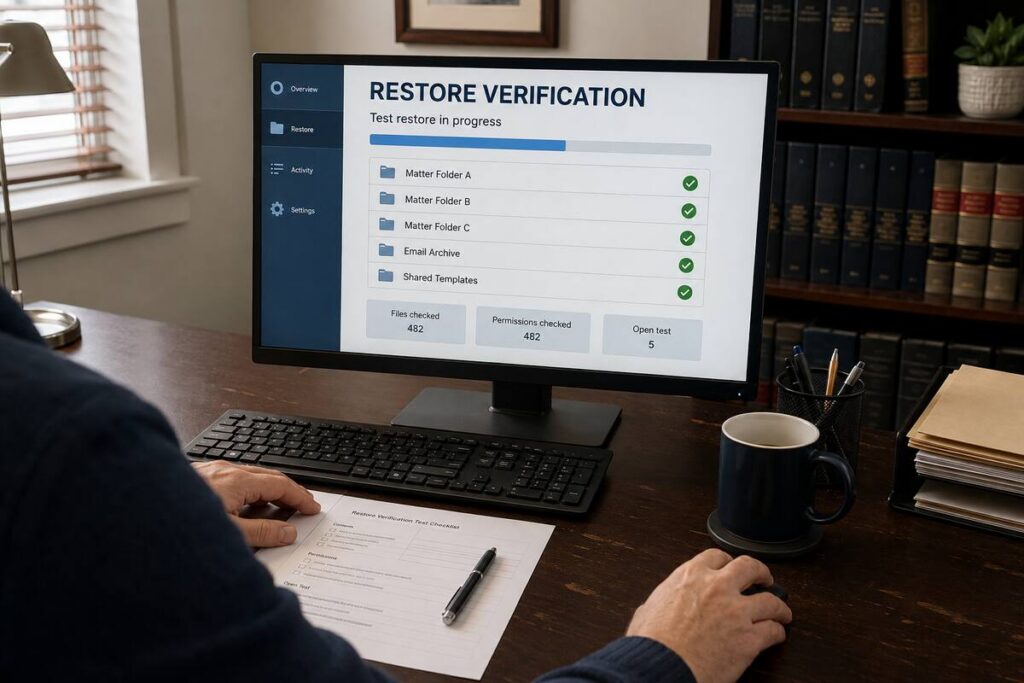
The backup gap nobody checks
Picture a small firm in Paramus or Hackensack running case management software. The vendor advertises backups. The firm reasonably concludes it is covered.
Then something happens, and the firm learns three things at once: the vendor’s retention window is shorter than assumed, restores are performed at the vendor’s pace rather than yours, and the scope covers the platform’s own data but not the documents, email, and files living around it.
Practice management platform backups are frequently thinner than firms believe. That is not an accusation against any vendor. It is a statement about what those backups are designed to do, which is protect the platform, not guarantee your firm’s continuity.
What to actually verify:
- How far back does the vendor’s retention go, in days, in writing?
- Who performs a restore, and what is their stated turnaround?
- Does it include documents and attachments, or only structured data?
- Is your email backed up separately? Microsoft 365 retention is not the same as a backup.
- When did anyone last test a restore end to end?
If a firm answers only that last question with a specific recent date and a person’s name, it is in better shape than most.
What “reasonable efforts” looks like in practice for a 5 to 20 attorney firm
Not a compliance guarantee, since the standard is contextual. A defensible baseline:
- MFA enforced on every account, including remote access and the practice management platform
- Individual logins for every person, including part-time and contract staff, with access removed on their last day
- Encrypted client portals for document exchange rather than emailed attachments
- Full-disk encryption on every laptop that leaves the office
- Documented, tested backups covering documents, email, and the practice platform
- Monitoring on any remaining onsite hardware, so failures announce themselves
- A written incident response plan naming who calls the carrier, counsel, and the provider
- Annual review of who has administrator access
Most firms we assess have five or six of these and assume they have all eight.
The gap that has opened since 2016
The rule was amended in 2016. How lawyers work changed substantially after 2020, and most firms’ security posture did not change with it.
The courthouse and the kitchen table. Attorneys read privileged documents on personal phones, on home networks, and on hotel Wi-Fi. If a personal device holding client email is not encrypted, not passcode-protected, and not remotely wipeable, that device is a file room with the door open. The fix is not banning phones. It is enrolling them so a lost phone is an inconvenience instead of an incident.
Printing and paper’s digital shadow. Modern copiers store images of what they print and scan. When the lease ends and the machine goes back, that storage frequently goes with it. Ask your vendor about drive wiping at end of lease, in writing.
Text messages and messaging apps. Client communication migrated to text for a lot of practices. Those messages relate to the representation, which means they fall inside the rule, and they are usually sitting on personal devices with no retention policy and no backup.
Departing associates. The offboarding conversation for a lawyer covers matters and files. It should also cover devices, cloud storage accounts, and whether firm email was ever configured on a personal phone. Access that survives a departure is exactly the unauthorized access the rule contemplates.
None of these are exotic. They are the ordinary consequences of how firms actually work now, and they are the areas where a 2016-era setup has quietly fallen behind.

Six questions to ask a prospective IT provider
If you are evaluating providers, these separate the ones who understand law firms from the ones who will treat you like any other 12-person office.
Have you supported law firms before, and can you describe what was different about it? A provider who has done this work will talk about conflict systems, retention, and matter-based file structures without prompting.
How do you handle our confidentiality obligations in your own contract? Your provider will have access to client information. Their agreement should address confidentiality, and many firms require a confidentiality provision or a signed acknowledgment before granting access.
What is your backup approach for our practice management platform specifically? The correct answer distinguishes between the vendor’s backups and an independent one, and explains what each covers.
Will you show me a restore test log? If they cannot produce one, they are not testing.
Who at your company can access our systems, and how is that logged? You should be able to see who touched what and when. This matters if you ever have to reconstruct events.
What happens on the day we leave? Documentation, licenses, and data. Get it in writing at the start.
A provider who answers all six clearly is easier to supervise, and supervision is your obligation under RPC 5.1, not theirs.
Frequently asked questions
Does using a cloud provider create an ethics problem? No. ACPE Opinion 701 declined to require that client data sit on servers controlled exclusively by firm employees. The duty is to select and oversee providers reasonably, not to avoid them.
Do I have to notify clients if there is unauthorized access? Talk to ethics counsel about your specific facts. Notification questions turn on what was accessed and what your engagement agreements say, and that is a legal judgment, not an IT one. What IT determines is whether you can answer the factual question at all, which is why logging matters.
Is my malpractice carrier going to ask about this? Increasingly yes. Cyber policies and some professional liability applications now ask directly about MFA, backups, and training, and coverage can be affected if what you attested to is not what you actually do. Read the requirements section against reality once a year.
What about the AI tools my associates are using? Same rule, new surface. RPC 1.6(f) applies to information relating to the representation regardless of which tool is holding it, and firm leadership carries supervisory responsibility under RPC 5.1. Decide firm policy before it decides itself.
We are a two-attorney firm. Is this proportionate? The rule’s balancing test does account for cost and difficulty. But MFA, tested backups, and disk encryption are inexpensive and available to a two-person firm, which makes them hard to characterize as unreasonable to implement.
Where to start
If you want a plain read on where your firm stands, we do a free network assessment built around what your ethics obligations and your carrier actually ask about: access control, email security, backup verification, and encryption.
You keep the written findings whether or not you work with us. Several firms have used ours as the supporting documentation for a carrier application.
Call (201) 520-2025 or book an assessment.
Coban Computer Solutions has supported professional practices across Bergen County, Hudson County, and Passaic County since 2004, from our office in Midland Park.
Related reading:
- IT services for law firms
- IT security services
- Small business data backup
- 12 Questions Every NJ Business Owner Should Be Able to Answer About Their IT
External references: