
Answer up front: A ransomware response plan starts with four moves in order. Disconnect affected machines from the network but do not power them down. Call your IT provider, your cyber insurance carrier, and your attorney, in that order. Do not pay and do not restore from a backup you have not verified. Preserve everything for the investigation.
Your team notices files will not open. Or a note appears on a screen demanding payment. Or three people call the front desk within the same minute saying the same thing.
This post assumes you already know what ransomware is. If you want the definition and the surrounding vocabulary, that is covered in our post on IT terms every NJ business owner should know. This one is about the next four hours.
The reason to read it now, while nothing is wrong, is that almost nobody writes any of this down. And the cost of not having written it down lands entirely inside the window where every minute matters most.
Minutes 0 to 15: contain, do not destroy
Four rules. They are in this order for a reason.
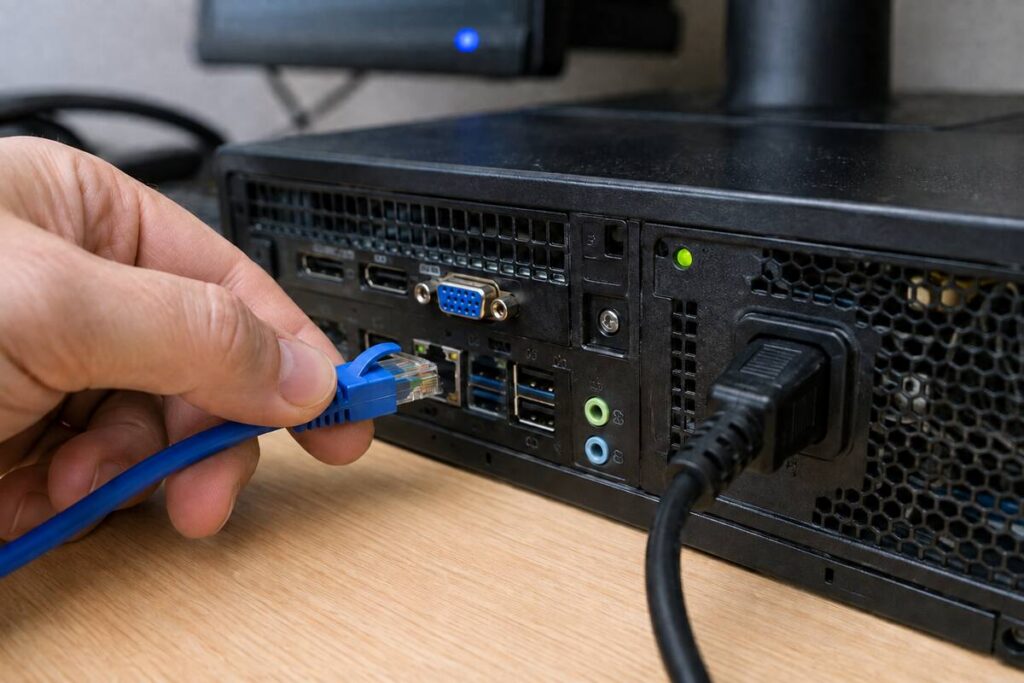
Disconnect from the network. Do not power down.
Unplug the network cable, or disable Wi-Fi on the affected machines. If the spread looks wide, disconnecting the switch or the internet connection for the whole office is a reasonable call.
But leave the machines running. This is the instruction people get wrong most often, because the instinct is to kill the power. Powering down destroys what is in memory, and memory is where investigators find how the attacker got in and what they did. CISA’s guidance is explicit that machines should only be powered down if it is not possible to disconnect them from the network, and that a system image and memory capture should be taken from a sample of affected devices.
If you power everything off, you may still recover your data. You will have a much harder time answering what was taken, which is the question your insurer and possibly your clients will ask.
Do not pay anything, or promise to.
Not in the first 15 minutes. Payment is a decision made later with your carrier and counsel, and it carries legal considerations that are not yours to weigh alone at 9 a.m. on a Tuesday.
Do not restore from a backup yet.
This is the second instinct, and it is dangerous. If the attacker still has access, restoring puts clean data into a compromised environment and gives them a second copy to encrypt. Restore happens after containment is confirmed, not during panic.
Do not delete the ransom note.
It contains identifiers your provider and law enforcement will use to determine which variant you are dealing with, which sometimes determines whether a decryptor already exists.
Tell your staff to stop touching things. Well-meaning employees rebooting their machines or trying fixes they read about will destroy evidence and can spread the infection. One clear message: hands off, disconnect, wait.
Minutes 15 to 60: the three calls, in order
Order matters, and the order surprises people.
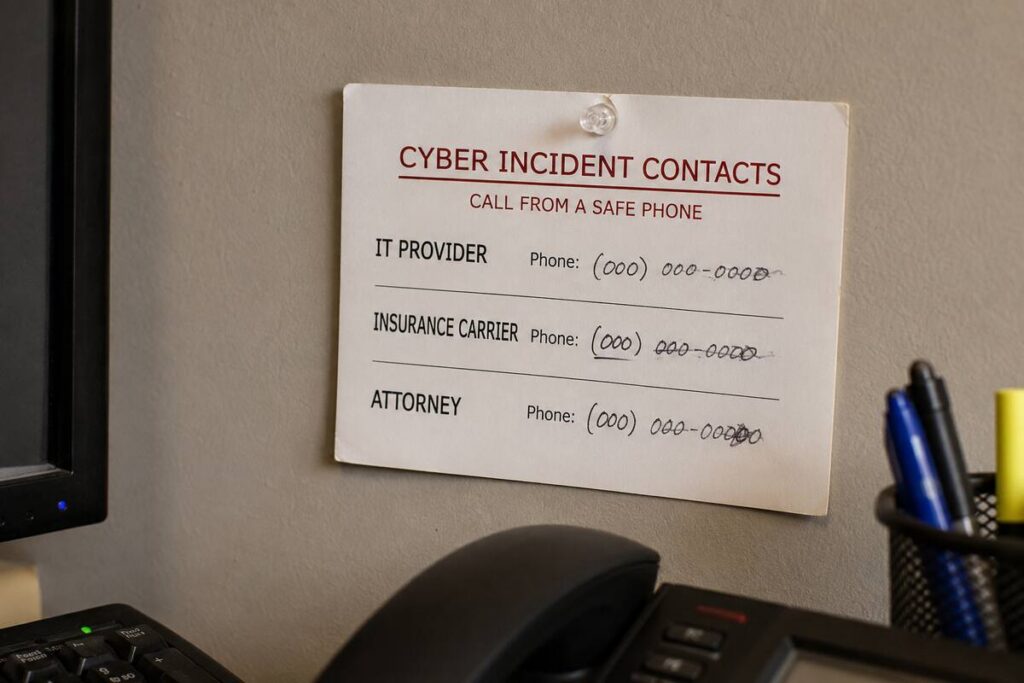
Call one: your IT provider. They contain the incident and start determining scope. If you do not have one, this is the call you cannot make, which is the entire argument for having a name and number written down in advance.
Call two: your cyber insurance carrier. This is the call businesses delay and should not. Most cyber policies require prompt notification, and many require that you use their approved incident response vendors. Bringing in your own forensics firm before notifying the carrier can jeopardize coverage for that work. Your policy has a claims hotline. It should be on the same card as your IT provider’s number.
Call three: your attorney. Breach notification obligations vary by what data was involved and who it belonged to. That is a legal determination. Getting counsel involved early also means much of the investigation can proceed under privilege, which your attorney will explain better than I can.
Then, if advised: law enforcement. CISA, the FBI, and the NSA jointly recommend reporting to CISA, your local FBI field office, or the FBI’s Internet Crime Complaint Center. New Jersey public agencies and government contractors have a separate and stricter obligation, a report to the state within 72 hours of reasonably believing an incident occurred, filed through the NJCCIC.
Who not to call yet: clients, vendors, and anyone on social media. Not because you are hiding anything, but because anything you say in hour one will likely be wrong, and corrections spread worse than the original statement. Coordinate messaging with counsel.
Hour 1 to 4: preserve, document, scope
Containment is holding. Now the work is establishing what happened, because that determines everything that follows.
Preserve. Do not wipe or rebuild anything yet, even a machine you are sure about. Your provider or the carrier’s response team will want system images and logs. The joint #StopRansomware Guide from CISA, the FBI, the NSA, and MS-ISAC recommends collecting relevant logs along with samples of any precursor malware and associated indicators of compromise.
Document, in real time, on paper or on a device that is not affected. Write down:
- The exact time each thing was noticed, and by whom
- What was on the screen, with photographs
- Which machines were disconnected and when
- Every call you made, to whom, at what time
- Every decision and who made it
This log is what your insurance claim is built from. It is also the thing nobody remembers to keep, and reconstructing it from memory four days later produces a weaker claim.
Scope. Which systems, which data, and did anything leave? That last question matters more than the encryption in most cases now, because attackers routinely copy data out before locking it. Encryption you can recover from with a good backup. Data that left your network does not come back.
Verify the backup before restoring. Confirm it is clean, confirm it predates the compromise, and confirm the environment you are restoring into has been secured. This is where firms that never tested a restore discover what they actually have, at the worst possible moment.
Why your ransomware response plan has to exist on paper
Everything above takes about ten minutes to read and roughly an hour to turn into a document for your specific business.
Almost no small business has done it.
The reason it matters is that the first hour of an incident is the hour when nobody is thinking clearly. The owner is calculating what this costs. Someone is already trying a fix that will destroy evidence. Somebody wants to email clients right now. In that environment, a printed page that says disconnect, do not power down, call these three numbers in this order is worth more than any amount of security software.
Two more reasons it has to be on paper.
Your ransomware response plan cannot live on the network the ransomware just encrypted. A plan stored in the file share you can no longer open is not a plan.
And your cyber insurance application probably asked whether you have an incident response plan. If you answered yes, it should exist.
What to have written down before anything happens
- Your IT provider’s name, direct number, and after-hours number
- Your cyber insurance carrier, policy number, and claims hotline
- Your attorney’s name and number
- Who is authorized to decide to disconnect the office from the internet
- Who talks to staff, and who talks to clients
- Where your backups live, how far back they go, and who can restore them
- The date of your most recent tested restore
Seven items. One page. Printed, and kept somewhere that does not require a working network to reach.
The mistake that turns a bad day into a bad quarter
Two patterns account for most of the businesses we see take weeks rather than days to recover. Neither is exotic.
The backup was connected to the network. Ransomware actively looks for backups and encrypts them alongside everything else. A backup drive plugged into the server, or a network share the server can reach, is not protection. It is a second copy of the problem. The joint federal guidance is direct on this point: backups need to be maintained offline, or in cloud storage isolated from the production environment, because attackers deliberately hunt for them.
If your backup is a USB drive someone swaps on Fridays and it lives plugged in the rest of the week, it is exposed six days out of seven.
Everyone had administrator rights. In a lot of small offices, every user account is a local administrator, because at some point that was easier than dealing with permission prompts. That single decision is what turns one compromised machine into a compromised network, because whatever the attacker gets can run with full privileges and move sideways.
Standard user accounts for daily work, administrator accounts used only when needed. It costs nothing and it is the difference between one workstation and all of them.
There is a third pattern worth naming, because it is the one nobody plans for: the person who knows how everything is connected is on vacation. Documentation solves this. A network diagram, an asset list, and a written account of which systems depend on which others. None of it is glamorous, and all of it is what makes an emergency shorter.
What this looks like when it goes right
Not hypothetically. The businesses that come through this well share a short list of traits.
They disconnected fast, because someone knew they were allowed to make that call without asking permission first.
They left the machines running, because it was written down.
They called the carrier within the hour, so coverage was never in question and the response team was engaged by lunch.
They restored from a backup that was offline, recent, and tested, so restoration was a procedure rather than an experiment.
And they had a documented environment, so determining scope took hours rather than days.
None of that is about better software. All of it is preparation done on an ordinary Tuesday months earlier.
Frequently asked questions
Should we ever pay the ransom? That decision belongs with your carrier and your counsel, not with an IT vendor and not with you alone at hour one. There are legal, financial, and practical considerations, including that payment does not guarantee usable decryption and does not undo data that was already copied out.
If our backups are good, do we still need to report anything? Possibly. Recovery and notification are separate questions. If data was accessed or copied, obligations can attach regardless of whether you got your files back. Ask counsel.
How long does recovery actually take? Widely variable, driven mostly by how good and how tested your backups are and how far the attacker got. Businesses that have run restore tests recover in a fraction of the time, because they are executing a known procedure instead of learning one.
Can our regular IT person handle this, or do we need a specialist? Containment is usually your regular provider. Forensics and negotiation are specialist work, and if you have cyber insurance, the carrier will likely name who does it.
We are a two-person office. Is this proportionate? The plan scales down; the need does not. For two people it is one printed page with three phone numbers. That is proportionate.
Get the printed version
We turned this into a one-page response card called The First Four Hours. It is built to be printed and kept where you can reach it without a network, not read once and forgotten.
If you would rather find out now whether your backups would actually hold, that is part of our free network assessment. We test a restore and tell you plainly how long recovery would take. You keep the findings either way.
Call (201) 520-2025 or book a free assessment.
Coban Computer Solutions has supported businesses across Bergen, Hudson, and Passaic Counties since 2004, from our office in Midland Park.
Related reading:
- IT Terms Every NJ Small Business Owner Should Know
- Small business data backup
- IT security services
- 12 questions every NJ business owner should be able to answer
External references: