
Answer up front: Every New Jersey business owner should be able to answer 12 basic questions about their IT: who can get back in if everything stopped tomorrow, when the backup was last tested, who holds admin access, what software is running out of support, and who to call at 7 a.m. If you cannot answer most of them cold, that is normal, and it is fixable in an afternoon.
Here is the scenario this post is written for.
It is Monday morning. Something is slow, or something is broken, or an employee cannot log in. You are the owner, so it lands on you. And the honest truth is you do not know why it is happening, who set it up, or who to call first.
That moment is not a failure of management. It is what happens when technology gets added to a business one piece at a time over 15 years, by whoever was around, with nobody keeping a list.
The 12 questions below are the list. We group them the same four ways we group them in the printable version: what happens if everything stopped, who can get in, what is actually running, and who you call.
Group 1: If everything stopped tomorrow
1. When was your backup last tested by actually restoring something?
Not “when did the backup last run.” Backups run successfully all the time and still fail when you need them, because a job completing is not the same as data being recoverable. The only proof is a restore.
The answer you want: a specific date within the last 90 days, and a person who watched it happen.
What a bad answer sounds like: “It runs every night, we get the emails.” Nobody reads those emails. That is the whole problem.
2. How long would it take to get back to work after a total failure?
Pick the worst realistic day. Server dies, or ransomware locks everything. How many hours until your team is billing again? Four? Two days? Two weeks?
Most owners have never put a number on this, and the number matters more than almost anything else on this list, because it determines what you should be spending. A business that can absorb three days down should buy differently than one that cannot survive four hours.
The answer you want: a number you have actually reasoned through, not a guess.
3. Where does your data physically live?
On a server in a closet? In Microsoft 365? Split across both, plus a Dropbox account somebody set up in 2019, plus a QuickBooks file on one desktop that never got moved?
That last pattern is more common than any other. Sensitive data ends up sitting in one place nobody has counted.
The answer you want: a written list of every place company data lives. If it takes you more than a minute to produce, that is the finding.
Group 2: Who can get in
4. Who has administrator access to your systems right now?
Admin access means the ability to change anything, add users, or delete data. It should belong to a very short list.
The answer you want: a list of names you can recite. If a former IT vendor, a former employee, or a nephew who “helped set it up” is still on it, that is your first action item this week.
5. Is multi-factor authentication turned on for every email account?
Not most. Every. Email compromise is the front door for the overwhelming majority of small business incidents, because it does not require breaking anything. It requires one password.
The NJCCIC, New Jersey’s own cybersecurity unit inside the Office of Homeland Security and Preparedness, continues to report business email compromise campaigns targeting accounts payable departments across the state, including ones using AI to make the pretext more convincing.
The answer you want: yes, on every mailbox, including the owner’s, including the one nobody uses anymore.
6. What happens to a departing employee’s access on their last day?
Every business has an offboarding process for keys and badges. Fewer have one for logins.
The answer you want: a documented step in your offboarding that disables accounts same-day, not “we get to it eventually.”
7. Do you know who your former IT provider still has access to?
If you have changed providers, or used a freelancer, or had a relative set things up, their credentials may still work. This is not usually malicious. It is just that nobody closes the loop.
The answer you want: confirmation that every prior vendor’s access has been revoked, in writing.

Group 3: What is actually running
8. How old is your oldest computer, and is it still supported?
Age alone is not a problem. A five-year-old machine running fine is fine. Software that no longer receives security updates is a different matter, because unpatched systems are how attackers get in without needing anyone to click anything.
The answer you want: nothing in daily use running an operating system past its end-of-support date.
9. What software is your business genuinely unable to operate without?
Every business has two or three. Practice management, an accounting package, a scheduling system, a line-of-business tool that has been there since the beginning.
The answer you want: you can name them, you know who supports each one, and you know whether their data is included in your backup. That last part surprises people. Cloud software often is not backed up by you, only by the vendor, and vendor retention is thinner than owners assume.
10. Is anyone actually watching your network, or does someone only look when it breaks?
There is a real difference between a provider who responds and a provider who monitors. Monitoring means a failing drive or a stopped backup generates an alert before it becomes your Monday morning.
The answer you want: yes, with a name attached, and you have seen a report from it. Proactive monitoring exists precisely so that most problems never reach you.
Group 4: Who you call
11. Who do you call at 7 a.m. on a Monday, and what happens then?
Not the general number. The specific answer: who picks up, what the response commitment is, and what happens outside business hours.
The answer you want: a name and a number you could dial right now without looking anything up.
12. Do you have cyber insurance, and do you know what it requires of you?
Many small business policies now include conditions: MFA enforced, backups maintained, sometimes employee training. A claim can be reduced or denied if those conditions were not met at the time of the incident.
The answer you want: you have read the requirements section, and what it describes matches what you actually do.
Score yourself
Count your confident yes answers. Not “probably.” Confident.
10 to 12: You are in good shape. Your risk is drift. Reassess annually.
6 to 9: Normal, and this is where most owners we assess land. You have real coverage in places and blind spots in others. Pick your three no answers and fix those.
3 to 5: You are running on luck and on one person’s memory. Nothing may have gone wrong yet. That is not the same as being protected.
0 to 2: Not a judgment, just a fact: you would have no plan on the day something happens. Start with backup testing and MFA. Those two cover the largest share of realistic bad outcomes for the least money.
What we actually find when we run this
We have walked this list with a lot of North Jersey businesses. The gaps are remarkably consistent, which is the encouraging part, because consistent problems have consistent fixes.
The backup that has never been restored. The most common finding by a wide margin. Almost everyone has a backup. Almost nobody has proof it works. The fix is one scheduled test, and the finding usually surprises the owner more than anything else on the list.
The account belonging to somebody who left in 2022. Second most common. It is never malice. It is that disabling logins was never anyone’s assigned job, so it happened when someone remembered, which is to say sometimes.
One person who is the entire disaster recovery plan. A bookkeeper, an office manager, a long-tenured employee who knows where everything is and how it all connects. That knowledge is real and valuable, and it is also a single point of failure with a two-week notice period.
The application nobody can name a support contact for. Usually an older line-of-business tool. It still runs, so nobody thinks about it, and the person who installed it left years ago. When it finally breaks, the first hour goes to figuring out who to even call.
Multi-factor authentication turned on for most people. Most is the word that does the damage. Attackers do not try every mailbox. They try until one works, and the exempted account is usually a senior one with broad access.
None of these require a large budget to fix. They require someone to own the list.
What to do this week
If you answered no to several of the 12, here is the order we would fix them in, and the reasoning.
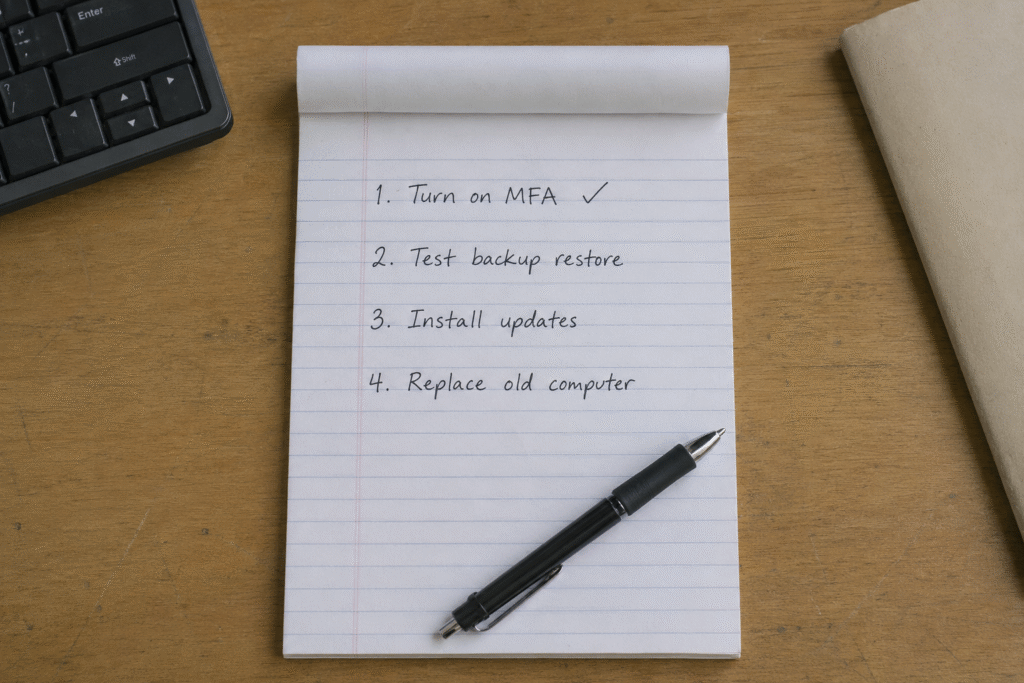
First: turn on MFA everywhere. Highest reduction in realistic risk per dollar and per hour. This is not close. If you do exactly one thing from this post, do this.
Second: test a restore. Not a review of backup settings. Pick a real file, or better, a real folder, and have someone recover it and time how long it took. Write down the date and who did it. You now have an answer to question 1 that is a fact rather than an assumption.
Third: audit who has access. Pull the user list for your email system and your main line-of-business application. Read every name out loud. Remove anyone who no longer works there, including former vendors.
Fourth: write down the answer to question 11. One index card, one name, one number, taped where whoever opens the office can see it. It sounds almost too simple. It removes the worst 20 minutes of a bad morning.
Fifth: put a date on the rest. Questions 2, 8, 9, and 12 are worth an hour with whoever handles your technology. They are not emergencies. They become emergencies if they stay unanswered for another two years.
That sequence takes most small businesses under a week of scattered effort, and it moves a typical five-out-of-12 score to a nine or ten.
Frequently asked questions
How often should I run through this list? Once a year, plus any time you change providers, move offices, or lose a key employee. Those three events are when access lists and documentation go stale fastest.
I have an IT provider already. Should they have answers to all 12? Yes, and asking them is a fair test. A good provider will have most of these documented and will tell you plainly where the gaps are. A provider who gets defensive about question 1 or question 4 is telling you something.
What if I only have five employees? Is this overkill? No. Smaller businesses are the ones with everything in one person’s head, which makes questions 3, 4, and 11 more urgent, not less. The scale of the fix is smaller, not the need for it.
Which question matters most? Question 1. A tested restore is the single thing that turns a catastrophe into a bad afternoon.
Get the printable version
We built this as a one-page, fillable checklist you can print, score, and hand to whoever handles your technology. It is called the Monday Morning Test, and it is free.
If you would rather have someone walk your actual setup and answer the 12 for you, that is what our free network assessment is. No obligation, and you keep the findings either way.
Call (201) 520-2025 or book a free assessment.
Coban Computer Solutions has supported small businesses across Bergen County, Hudson County, and Passaic County since 2004, from our office in Midland Park.
Related reading:
- IT Terms Every NJ Small Business Owner Should Know
- Small business data backup
- Managed IT services in NJ
External references: